
Go To Lunch
At lunch when an agent hits a risky step. The approval comes to your watch, you tap once, and the build keeps moving. No laptop, no context switch.
Sixty seconds, then the films.
Operator is the operating system for supervised autonomy: the agents you already use, hosted on your own machine, steered from your phone, your watch and your glasses, with every decision recorded. It is built for people whose work repeats: real estate, field trades, machine shops, finance and ops, software teams, research.
The Mac app is the engine: it hosts the agents, holds your keys, keeps the record. The iPhone app pairs to it in a scan. The watch and the glasses come along.
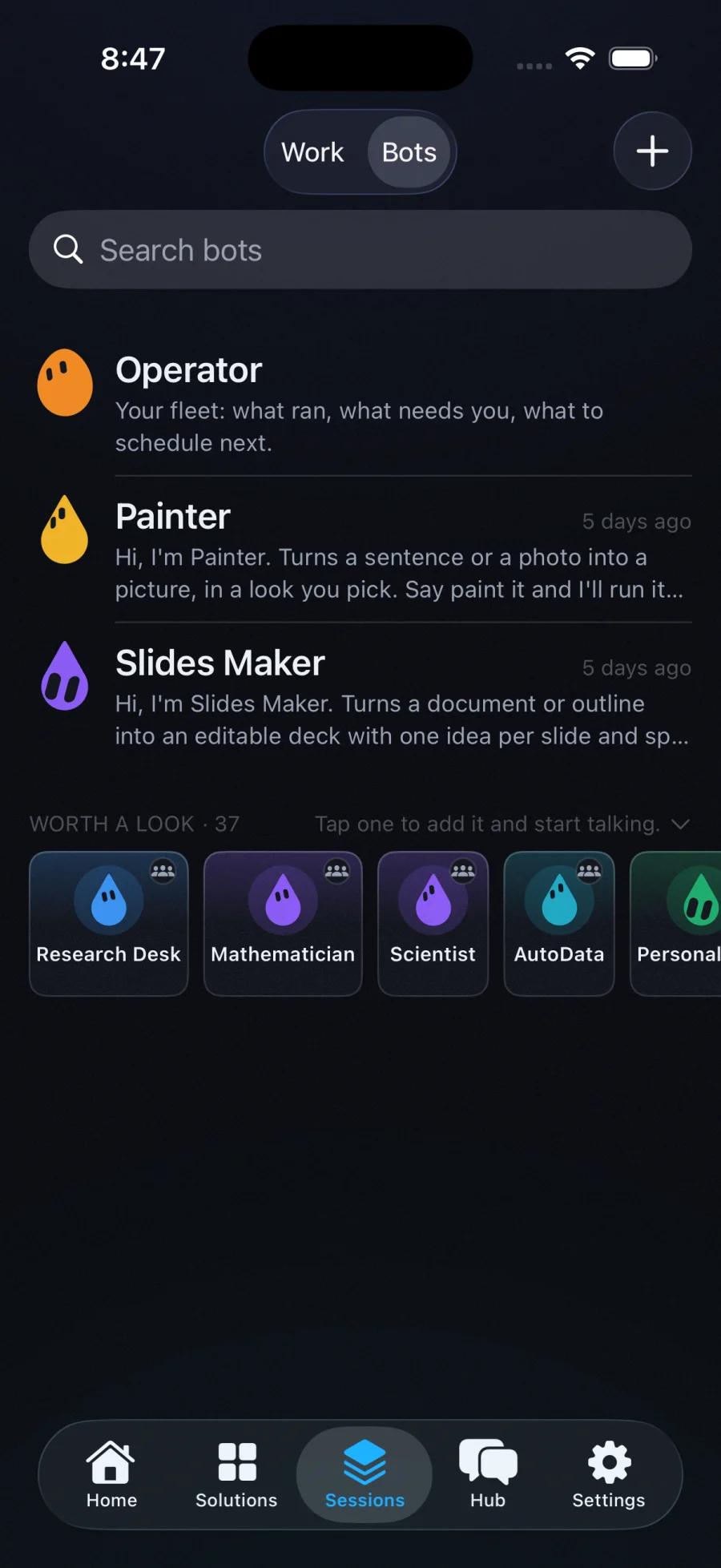
Make a bot in a tap, or install one from the marketplace. Pick its agent, its model, its skills. It has a name and a face, and it remembers.
Say it, send a page from Safari, glance at it through your glasses, drop a file, or put it on the calendar. A Solution is a whole job, ready to run.
A risky step pauses the worker and puts a card on your phone or your wrist. One tap. It continues, and the log says exactly what happened.
Invoices filed, the report written, the follow-up drafted, the briefing ready at seven. On your machine, with your keys, and nothing sent without you.
Review Team audits a codebase. Follow-up Agent drafts the reply you send. CNC Expert answers the machining question on the floor. Mac Doctor reads your Mac and changes nothing. Each one remembers your work and hands you a card when it needs a decision.

Through camera glasses: remember where you parked, translate the sign, the repair one step at a time, the site walk as a report, receipts filed before you reach the car. From Safari: summarize, clip, fact-check, draft the reply, watch the price. From the phone: a photo is a job, a file lands in the worker's folder.
A readable policy file says what runs on its own, what asks, and what never happens. Approvals reach your phone, your watch or your voice, and survive a restart. Every event is written to a hash-chained log you can verify. Your keys stay sealed on your Mac; transcription happens on your Mac first.

Each film is shot from the real macOS, iPhone and Apple Watch apps. Turn your sound on and press play.
Operator runs a real coding agent on your Mac. The moment it reaches something risky, like a git push, a hook pauses it and sends the exact command to your phone. You tap Approve and it keeps going.
You do not need to be at your desk, or even holding your phone. The same approval lands on your Apple Watch with the full command. Confirm on your wrist and the agent continues.
Pair every Mac you run. Workers from all of them interleave into one live fleet on your phone, each machine online or offline at a glance, each approval one tap away.
The clips loop on their own. The lines below are what actually happens when the agent needs you.